
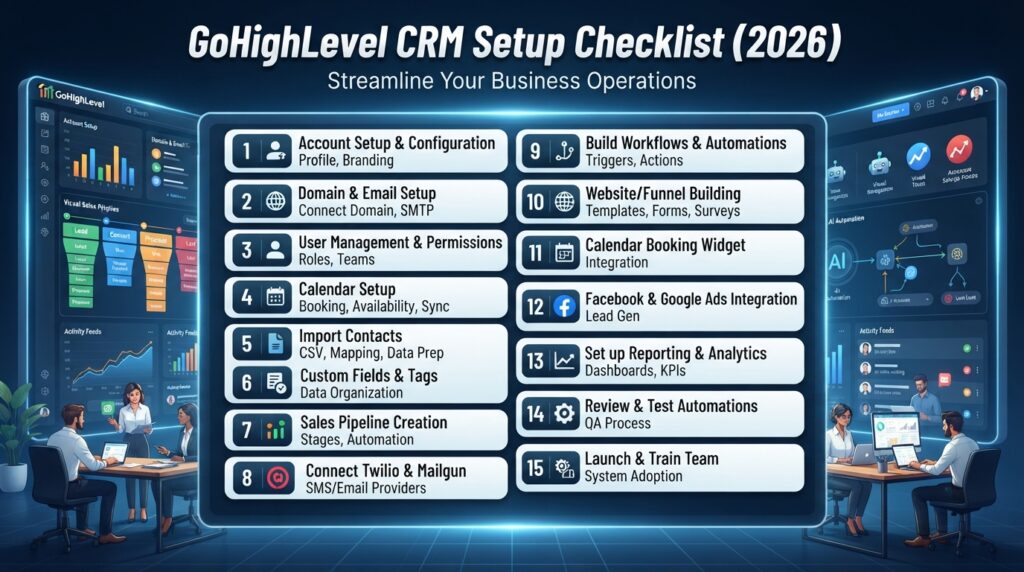
GoHighLevel CRM Setup Checklist: 15 Steps for a Successful Implementation
Quick Answer
Setting up GoHighLevel correctly from the beginning helps businesses avoid workflow issues, improve lead management, and maximize automation. This checklist covers the essential steps for a successful CRM implementation.
1. Create Your Business Account
Set up your business profile, company details, branding, and user permissions.
2. Configure CRM Pipelines
Create sales pipelines that match your customer journey.
3. Import Contacts
Import existing customers and organize them using tags and custom fields.
4. Build Workflow Automation
Create automations for lead follow-ups, emails, SMS messages, and task assignments.
5. Connect Calendars
Integrate booking calendars and configure appointment reminders.
6. Set Up Email & SMS
Configure email sending domains and SMS providers for reliable communication.
7. Install Forms & Landing Pages
Create forms and landing pages to capture new leads.
8. Connect Third-Party Apps
Integrate tools like Zapier, Make, Stripe, Google Calendar, and other business applications.
9. Configure AI Features
Enable AI-powered tools where appropriate to improve customer communication and efficiency.
10. Test Everything
Verify workflows, emails, forms, and automations before going live.
11. Train Your Team
Ensure team members understand how to use the CRM consistently.
12. Monitor Reports
Track lead activity, conversion rates, and campaign performance.
13. Optimize Workflows
Regularly refine automations based on business needs.
14. Review Security Settings
Check user roles, permissions, and access controls.
15. Schedule Ongoing Maintenance
Review and update your CRM setup periodically to keep it aligned with your business processes.
FAQs
- What is a GoHighLevel CRM setup checklist?
- Why is a CRM setup checklist important?
- How long does GoHighLevel setup take?
- What should be configured first in GoHighLevel?