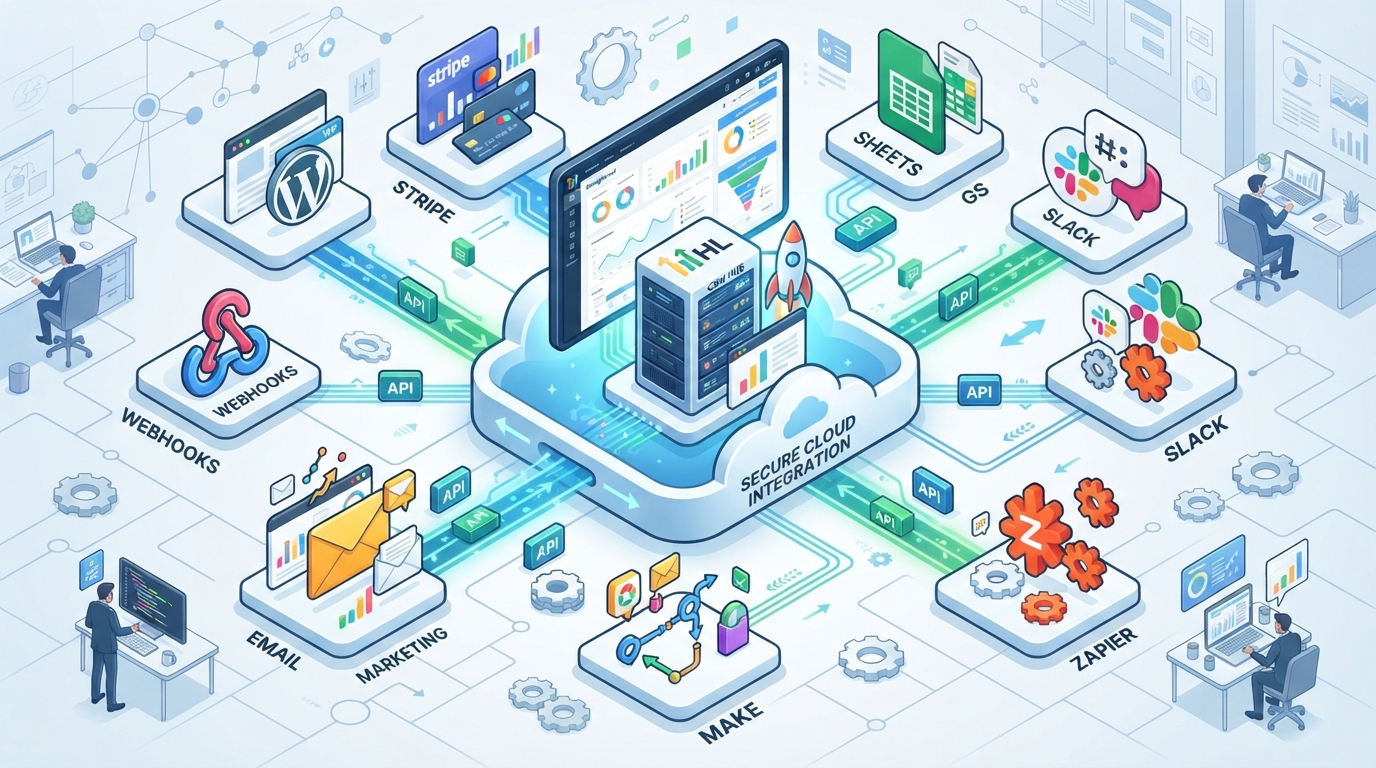
GoHighLevel API Integration allows businesses to connect GoHighLevel with WordPress, CRM platforms, websites, payment gateways, forms, calendars, and third-party applications. By using APIs and webhooks, organizations can automate lead management, synchronize customer data, trigger workflows, and reduce manual tasks while improving operational efficiency.
GoHighLevel API Integration Guide: Connect CRM, WordPress & Business Apps
Table of Contents
- What Is GoHighLevel API?
- Why Use API Integration?
- Systems You Can Connect
- API vs Webhooks
- WordPress Integration
- 7-Step Integration Process
- Best Practices
- Common Mistakes
- FAQs
What Is GoHighLevel API?
Explain
- REST API
- Authentication
- Data synchronization
- Automation
- CRM connectivity
What Can You Connect With GoHighLevel?
| Platform | Integration Purpose |
|---|---|
| WordPress | Forms & Lead Capture |
| Stripe | Payments |
| Calendars | Appointment Booking |
| Google Sheets | Reporting |
| Email Platforms | Marketing |
| Zapier | No-code Automation |
| Make | Workflow Automation |
| Webhooks | Real-time Data |
| Slack | Notifications |
| CRM Tools | Customer Management |
API vs Webhooks
| API | Webhook |
|---|---|
| Requests data | Pushes events |
| Manual trigger | Automatic trigger |
| Fetch information | Instant notifications |
| Two-way communication | Event-based automation |
Benefits of GoHighLevel API Integration
✅ Centralized CRM
✅ Automatic Lead Capture
✅ WordPress Synchronization
✅ Faster Workflow Automation
✅ Better Customer Experience
✅ Real-Time Updates
✅ Reduced Manual Work
✅ Improved Reporting
7-Step Integration Framework
Step 1
Identify business workflows.
Step 2
Generate API credentials.
Step 3
Configure authentication.
Step 4
Connect WordPress forms.
Step 5
Test webhook events.
Step 6
Validate CRM data.
Step 7
Monitor and optimize automation.
Best Practices
- Use secure authentication.
- Test integrations before going live.
- Validate incoming data.
- Monitor API usage.
- Document workflows.
- Back up important data.
- Review integrations regularly.
Common Mistakes
- Incorrect API credentials
- Missing webhook testing
- Duplicate contact creation
- Poor error handling
- No workflow documentation
- Ignoring security practices
FAQ
What is GoHighLevel API used for?
The GoHighLevel API enables businesses to connect external applications, automate workflows, synchronize customer data, and integrate websites, CRMs, and third-party tools.
Does GoHighLevel support API integrations?
Yes. GoHighLevel provides API capabilities for connecting business applications, websites, automation platforms, and custom workflows.
What is the difference between an API and a webhook?
An API is typically used to request or update data, while a webhook automatically sends information when a specific event occurs.
Can I integrate WordPress with GoHighLevel?
Yes. WordPress can be integrated with GoHighLevel using forms, plugins, APIs, or webhooks to capture leads and trigger automated workflows.